
For Healthbridge integration on preLink these are the steps to follow.
Under Service management click Edit on the service named Healthbrigde and add the details(EndPoint) provided by the service provider as shown below.
The details are a Path and URL.
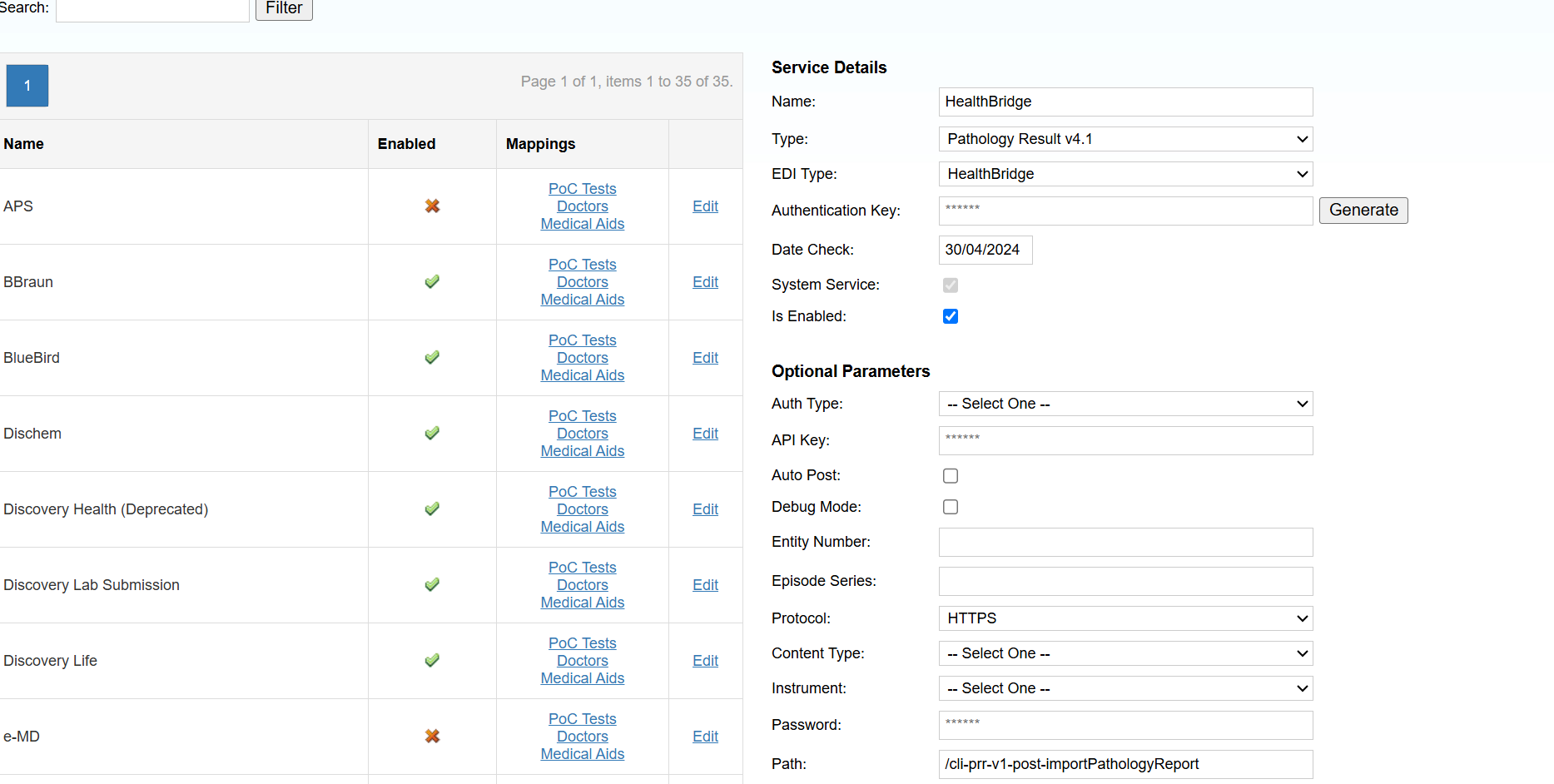

Confirm that the service is activated on the back end then resume testing.
To add the Client/Doctors codes
Navigate to Admin>Stakeholder>Clients
Select the Doctor that will be using the service and add a Code under Client Location. This code has to match what is on Healthbridge.